From Midjourney to Free Flux: AI Image Generation Platforms Guide 2026

A complete guide to the major AI image generation platforms in 2026: Midjourney, DALL-E 3, Ideogram, Flux, Adobe Firefly, and Leonardo — free options, pricing, and which fits each creative workflow.
Three years ago, generating an image with AI was an event worth tweeting about. Today it’s a daily skill needed by the content producer, graphic designer, article writer, e-commerce owner, and the photographer who wants to prototype a concept before picking up a camera.
But the pace of this field’s development has made the 2026 landscape considerably more complex than its early days. Midjourney is no longer the only option or even the cheapest. DALL-E 3 is now embedded in tools you may be using without knowing it. Flux turned “free means weaker” into a myth. And Adobe Firefly solved the intellectual property problem that kept professional designers awake at night.
This guide is for content creators and freelancers — not for specialist designers with deep technical backgrounds. We’ll cover every major platform with honesty: what it offers, what it doesn’t, and which delivers the most value for your time and budget.
Understanding the Landscape — Why So Many Platforms?
Every AI image generation platform converts text (a written description) into an image. This process looks simple from the outside, but it conceals fundamental design decisions that differ significantly between platforms:
- What data was the model trained on? — This determines its default visual style, its strengths, and its weaknesses.
- How literally does it follow the description? — Some models interpret freely (adding elements you didn’t request); others execute descriptions precisely.
- What are the rights to the output image? — Can you use it commercially? Do you own it or does the platform?
- What’s the generation speed and cost? — From models that produce in seconds at no cost to models that take minutes and consume credits.
These differences determine “which one is yours” — not absolute quality, but quality in the specific context where you actually work.
Midjourney — The Aesthetic King That Doesn’t Tolerate Beginners
Midjourney is the model that put AI image generation on the map and defined quality standards for the industry. In 2026 it retains its position as the most aesthetically sophisticated in many scenarios — particularly for creative, conceptual, and high-end artistic photography.
What It Excels At
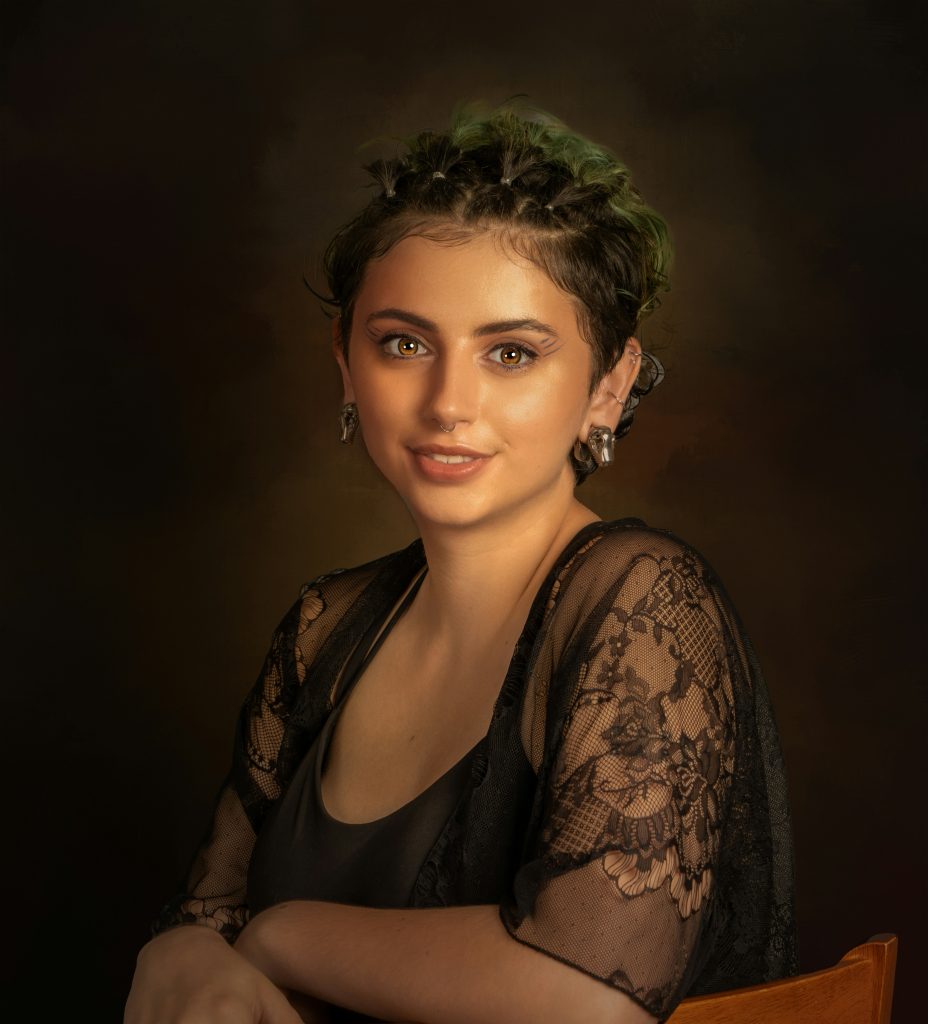
High-end artistic aesthetics: it produces images that look like they came from an art gallery rather than a computer program. It leads in dramatic lighting, fine detail, and giving images a quality that’s difficult to describe but universally noticed. Its 2026 release (Version 7) made qualitative leaps in human face generation, which had been its historical weakness.
What Complicates It
No simple web interface — core usage still runs through Discord, though it has added a standalone app for paid subscribers. The learning curve is real: mastering the “language” Midjourney understands to reliably produce what you have in mind takes meaningful time investment.
Pricing in 2026
No free tier. Subscriptions start at $10/month (basic plan with limited images) up to $60/month for unlimited usage. Commercial rights are included in all paid plans.
Best Suited For
The professional graphic designer, the brand owner who wants a genuinely distinctive visual identity, the content producer for whom the image is a primary rather than secondary element. Not ideal for someone who needs fast, functional images at high volume.
Start at: midjourney.com
DALL-E 3 — The Hidden Power in Platforms You Already Use
DALL-E 3 is OpenAI’s image generation model, and it’s quite possibly the model you’re already using without knowing it — because it’s embedded in ChatGPT Plus and Microsoft Copilot (free in the latter).
What Distinguishes It
Its major advantage is precision in following text descriptions. When you write “a café in Amsterdam, golden lighting, wooden table, open book, coffee cup” — DALL-E 3 executes the description more literally than most competitors. This makes it ideal for users who have a specific vision and want it implemented accurately.
A second advantage: integration with ChatGPT means you can hold a conversation to refine the image — “make the lighting warmer,” “add a figure in the background,” “convert to a sketch style” — all within the same chat thread. No separate prompt iteration required.
The Limitations
On ChatGPT Free: very limited or unavailable. On ChatGPT Plus ($20/month): available with a reasonable image quota. On Copilot Free: available at no cost through a monthly “Boost” credit system (speed credits that replenish monthly; generation continues at slower speed after they’re exhausted).
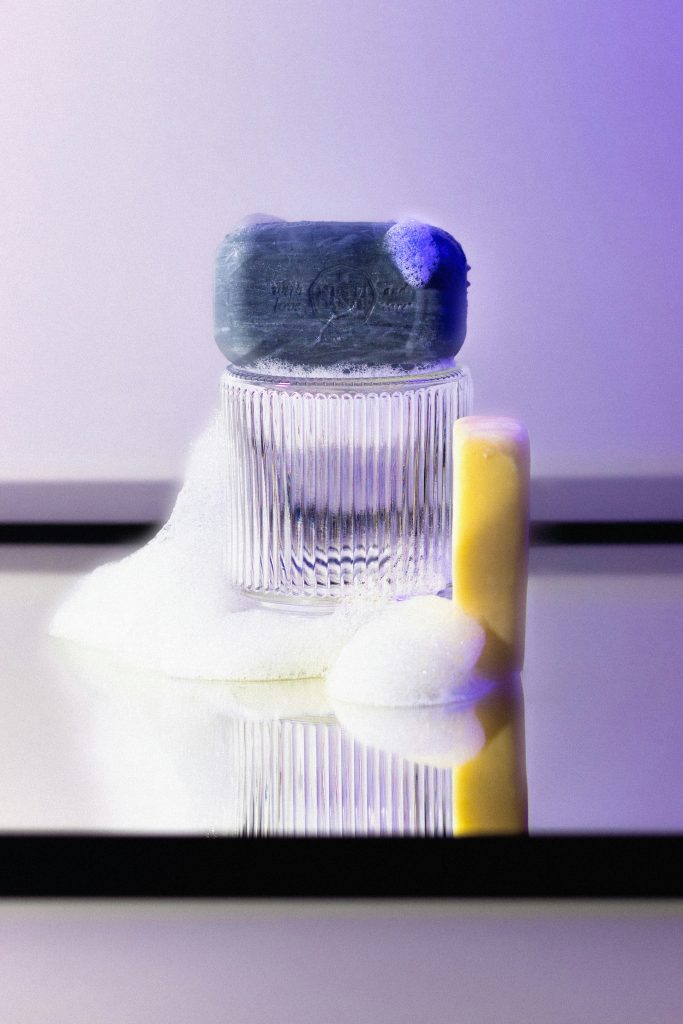
DALL-E 3’s default visual style tends toward clean realism and commercial photography — excellent for product images and social media content, less distinctive for conceptual fine art.
Best Suited For
Users who need precision in description execution, images ready for marketing and digital content, and anyone already subscribing to ChatGPT Plus who wants to fully leverage that subscription.
Ideogram — The Solution to a Problem Nobody Else Solved
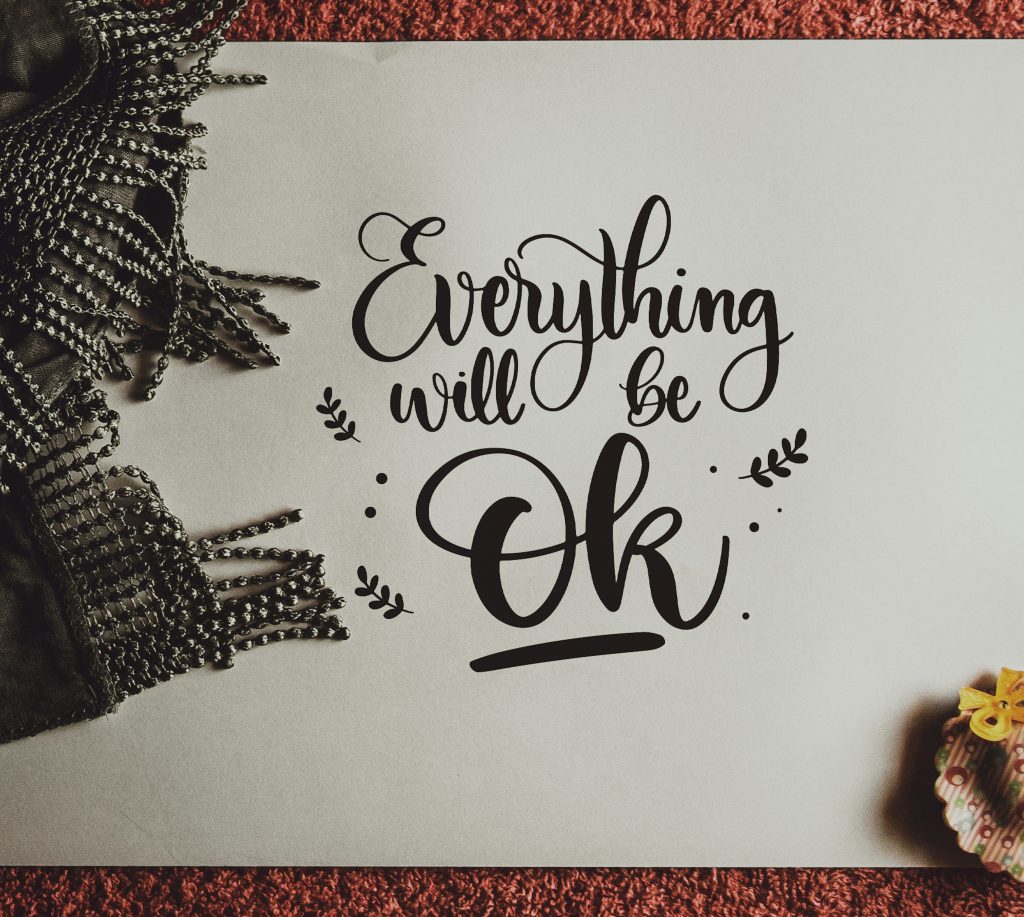
If you’ve ever tried to include legible text inside an AI-generated image — a logo, a greeting card, an advertisement with a clear tagline — you’ve experienced the classic frustration: the words come out distorted, assembled from letters that mean nothing, or correct in one word and jumbled in the next.
Ideogram solved this problem specifically. And it was a problem that seemed for years to be outside the range of what image generation models could do.
What It Excels At
Accurate typography within images — and by 2026 this is no longer a capability exclusive to Ideogram, but it still leads most competitors in text rendering accuracy, clarity, and integration with the overall design. Its second strength is its library of ready-made templates and visual presets that help users without design backgrounds produce professional-looking outputs.
Pricing
The free tier is relatively generous — 25 images per day, which is sufficient for typical daily use. Paid plans start at $8/month.
Best Suited For
The social media designer who needs images with readable text overlays (Instagram posts, ads, cards), the small brand owner who designs their own materials, and anyone who prefers ready-made design templates over a blank canvas.
Start at: ideogram.ai
Flux — The Open-Source Revolution That Changed the Rules
If there is one model that demolished the myth “free always means weaker” in image generation, it’s Flux.
Released by Black Forest Labs in 2024, by 2026 Flux.1 and its various derivatives compete with major commercial models in independent evaluations — while remaining open-source and freely available through Hugging Face, which we covered in our previous article. (See: Hugging Face for Non-Developers)
The Different Flux Versions
- Flux.1-schnell (fast): The fastest and lightest — generates an image in seconds, quality is very good for daily use, available free on Hugging Face Spaces.
- Flux.1-dev (development): Higher quality, slightly slower, open-source for non-commercial use.
- Flux.1-pro (professional): Highest quality, available via paid API for commercial use.


What It Excels At
Photorealistic imagery at a quality that is genuinely astonishing given the zero price point — particularly in fine detail rendering: hands, complex surfaces, textures, and text (better than many competitors). It produces clean, immediately usable outputs with relatively simple descriptions.
The Main Challenge
Free use through Hugging Face can mean waiting during high-demand periods when servers are busy. Commercial use requires the pro version through a paid API. And unofficial Flux-branded interfaces have proliferated rapidly — use official sources to avoid inferior variants.
Best Suited For
Anyone who wants professional quality for free for personal or non-commercial use. The developer who wants to integrate image generation into a project at lower API cost than Midjourney or DALL-E. Anyone who wants to run an image generation model entirely locally on their own machine.
Immediate free start: Flux.1-schnell on Hugging Face
Adobe Firefly — The Solution for the Professional Who Fears Legal Exposure
Behind most conversations about AI image generation sits a question few people ask out loud: Can I actually use this image commercially without someone coming after me later?
Conventional image generation models were trained on millions of images scraped from the internet — many of them copyright-protected. This creates a genuine legal grey zone. Is the resulting image “inspired by” or “derived from” protected work? Nobody has a definitive answer yet.
Adobe Firefly solved this problem one way: it was trained exclusively on Adobe Stock licensed images and public domain works. Every image it produces is free of commercial IP claims — Adobe guarantees this formally.
What It Excels At
Seamless integration with the full Adobe ecosystem — Photoshop, Illustrator, Premiere Pro — makes it the natural tool for anyone already working in an Adobe environment. The “Generative Fill” feature in Photoshop allows adding or removing elements from existing images at a professional level that changes how composite image work is done. Style, lighting, and color controls are more granular than most other platforms.
Pricing
Bundled in Creative Cloud subscriptions (starting at $54.99/month for the full suite). A limited free version is available at firefly.adobe.com for experimentation.
Best Suited For
The professional designer already subscribed to Adobe CC, advertising agencies where legal compliance is a priority, and anyone whose workflow centers on editing and compositing existing images rather than pure generation from scratch.
Leonardo AI — The Flexible Professional’s Workshop
Leonardo.ai positions itself as a “creative workshop” — a feature-rich interface rather than a simple black box — targeting users who want deep control without being developers.
What It Excels At
Style diversity: it supports dozens of different models within the same platform (including integrated Flux variants). Controls for aspect ratio, detail level, lighting style, and prompt adherence strength are all available for fine-tuning. The “Image Guidance” feature allows uploading a reference image to steer the visual direction of generation.

Pricing
The free tier provides 150 credits daily — enough for dozens of images depending on their resolution settings. Paid plans start at $10/month.
Best Suited For
The content producer generating large volumes of images across varied styles, the designer who wants to experiment before committing to a specialized tool, and anyone who wants multiple model families accessible through a single interface.
Start at: leonardo.ai
Full Comparison Table
| Platform | Artistic Quality | Prompt Accuracy | Text in Image | Free Tier | Commercial Rights | Ease of Use |
|---|---|---|---|---|---|---|
| Midjourney | ★★★★★ | ★★★★☆ | ★★★☆☆ | ❌ | ✅ (paid) | ★★★☆☆ |
| DALL-E 3 | ★★★★☆ | ★★★★★ | ★★★★☆ | ✅ via Copilot | ✅ | ★★★★★ |
| Ideogram | ★★★★☆ | ★★★★☆ | ★★★★★ | ✅ 25/day | ✅ (free tier) | ★★★★☆ |
| Flux | ★★★★★ | ★★★★☆ | ★★★★☆ | ✅ HF Spaces | Pro only (commercial) | ★★★☆☆ |
| Adobe Firefly | ★★★★☆ | ★★★★☆ | ★★★★☆ | ✅ Limited | ★★★★★ | ★★★★☆ |
| Leonardo AI | ★★★★☆ | ★★★★☆ | ★★★☆☆ | ✅ 150 credits/day | ✅ | ★★★★☆ |
The Practical Decision Guide
“I want a free image for a blog article”
Ideogram (25/day free) or Copilot via DALL-E 3 (free). If quality matters significantly: Flux on Hugging Face. Commercial rights are available across all three.
“I need legible text embedded in images”
Ideogram is the strongest option for this specific task. For Arabic text specifically: every current model was trained primarily on English, making Arabic text rendering unreliable. The most dependable workflow remains generating the image without text → adding Arabic text afterward in Canva or Photoshop. This two-step approach is more reliable than expecting any AI model to render Arabic accurately.
“I want a consistent visual identity across a marketing campaign”
Midjourney (paid) for highest artistic quality with style consistency across multiple images. Firefly if IP compliance is a priority. Leonardo for fine style control at lower cost.
“I’m a professional designer who wants a tool that integrates with Photoshop”
Adobe Firefly — nothing else competes with it for Adobe ecosystem integration. Generative Fill alone changes how composite image work is done.

“I want to experiment before committing to anything”
Start with Ideogram (free, reasonable daily limit) → try DALL-E 3 via Copilot (free) → try Flux on Hugging Face (free, no registration needed). These three give you a genuine comparison across distinct approaches before you decide where to invest.
The golden rule of AI image generation: a good prompt matters more than platform choice. A weaker model with an excellent description often outperforms a stronger model with a vague one. Invest in learning how to write descriptions — this skill transfers across all platforms and compounds in value over time.
What’s Coming — Three Trends Reshaping the Field
Consistency Across Multiple Images
The classic challenge: how do you produce a character or brand visual identity that looks consistent across dozens of different generated images? Every new generation produces slightly different faces and features. Solutions are emerging — Midjourney’s “Character Reference” feature and analogous mechanisms at other platforms are building toward reliable visual identity persistence across image sets.
Editing Over Generation
The growing capability isn’t pure generation from scratch — it’s precision editing of existing photographs. Firefly’s Generative Fill, ChatGPT’s image editing, and equivalents elsewhere are turning real photographs into bases for AI-augmented composites, adding or removing elements with professional accuracy.
Short Video From a Single Image
The boundary between image generation and video generation is dissolving. Models that animate a still image into a short motion clip are producing commercially usable results at an accelerating pace — and that’s exactly what we cover next.
In Article 8, we continue through the visual and audio landscape: AI Video and Audio: Sora, Runway, Pika and ElevenLabs — Where Are We in 2026?
References
- Midjourney — Official Site
- OpenAI DALL-E 3 — Official Site
- Ideogram — Official Site
- Black Forest Labs / Flux — Official Site
- Adobe Firefly — Official Site
- Leonardo AI — Official Site
- Our article: Hugging Face for Non-Developers
- Our article: No Credit Card Needed: Free AI in 2026
- Our article: A Statistical Mirror: What AI Images Reveal About Us